Utilizing Product Specifications
Product Specifications are used to identify specific information about how a product was created, stored, or any other info that may be tied to a specific product. This feature is mostly used for asphalt products, where you would need to document any measurements, temperatures, or other conditions depending on a product's source. You can turn on Product Specifications from the Desktop Scale App settings.
NOTE: Please contact us at support@tacinsight.com or call 865-219-2980 during business hours if you are interested in using Product Specs for setup assistance. You will need a customize ticket for your product specifications to print on your ticket.

Adding New Product Specifications
- Click on the new Product Specs icon to begin setup for your product specifications.
- Navigate to Manage.

- This is where you will add in your product Sources and create Specification/Test Name Templates for easier setup later.
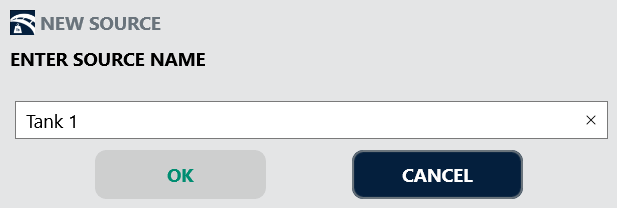
- To add a new source, click the [ ADD ] button on the bottom of the Sources table and name your Source.
- Optional: Set up Templates
- Click the [ ADD ] button on the bottom of the Template table to name the template.

- Click on the new template in the table to add the Specification/Test Names to the template.
- Click the [ ADD ] button on the bottom of the Specification/Test Name table to add in new names.
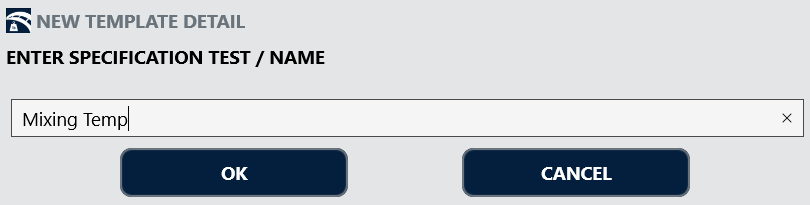
- Add in as many specifications as you will need.
- Click the [ ADD ] button on the bottom of the Template table to name the template.
- Navigate to Assign to begin assigning testing values to your sources.

- Select the desired Source from the dropdown list. You can then set if this source uses additives, set the date of the test values, and add a note.
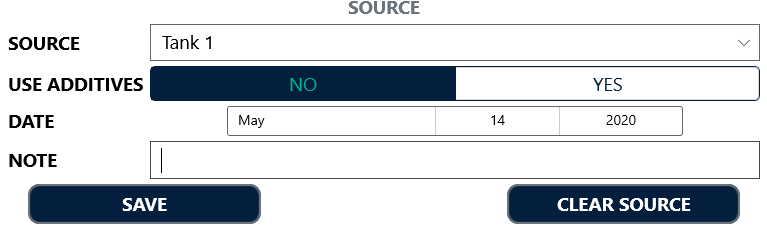
- Click Save
- Once you have setup your Source, navigate to the Details table on the right to begin adding values.
- If you set up a Template, you can load that in from the dropdown below the table.
- Click the [ ADD ] button on the bottom of the Details table to add in the Specification/Test name.
- Once you have added in all of your Specification/Test Names for the source, double click on the Value field to the right of the Name to add in the Specification/Test Value.
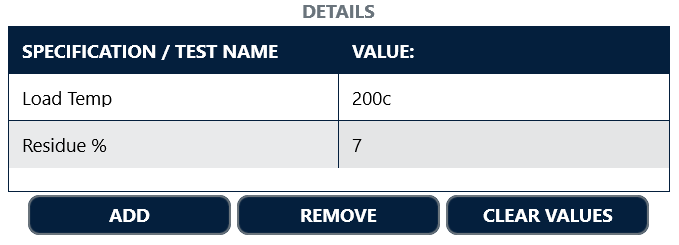
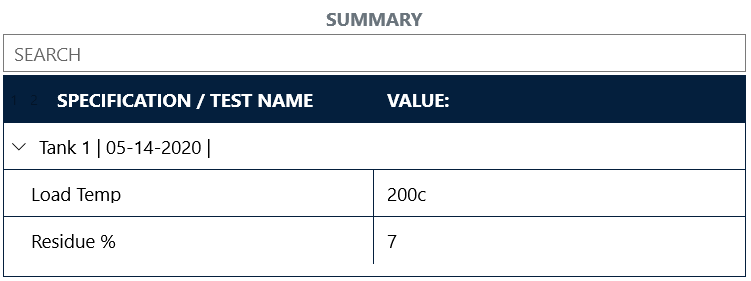
- Navigate to Summary to view all of your Product Specs and verify the information.

- NOTE: You may have to navigate to another screen (like the Order screen, for example) and navigate back to the Product Specs screen to reload the new info.
Ticketing with Product Specifications
Now that you have a Product Specification setup, you will be able to tie those Specification/Test Values to your tickets.
- When creating a ticket, a new box will appear beneath the Order and Ticket Info field where you can select your product's source from a drop down.
- If your source uses additives, you can type in the additive here as well.
- Finish creating the ticket as normal and click Print.

- NOTE: You will need a customize ticket format to print your Product Specifications on your ticket.
- NOTE: You will need a customize ticket format to print your Product Specifications on your ticket.
Related Articles
Fast-Weigh Unattended Kiosk (Older Model)
Fast-Weigh Unattended Kiosk To add an unattended kiosk to your Fast-Weigh subscription, contact us at 865-219-2980 or support@tacinsight.com Kiosk Quickstart Guide Open the Unit The unit comes with two hex keys which go into the two covered slots at ...Creating & Printing Tickets 🎥
Fast-Weigh Desktop Ticketing Application Using the Ticketing Screen on the Fast-Weigh Desktop Ticketing Application Click here for more Fast-Weigh training videos. Creating Tickets Since all of your information is synced from your Web Portal to your ...Desktop Scale App Settings: Customizing your Ticketing App
Fast-Weigh Desktop Ticketing Application The settings for the Desktop Ticketing App can shape the way that your operations function. please contact us at support@tacinsight.com or call 865-219-2980 during business hours if you need assistance with ...Creating & Managing Orders on the Scale App
Fast-Weigh Desktop Ticketing Application You can create and manage Orders directly from the Scale App, if you have the Order Add/Update setting turned on. All of the Orders created for your location can be viewed and updated, or you can quickly add a ...Scale House Computers, Printers, and Accessories
Fast-Weigh Desktop Ticketing Application Scale House Necessities There are a few must-haves for using the Fast-Weigh Application in your scale house. Check out our Hardware & Setup Checklist for a quick overview of everything you will need. What ...